Agent Experience
Monitoring & Insights



How to track brand presence in AI search
🚧 Scrunch recently shipped major product updates, so some parts of this guide may not match what you see in our platform today. We'll be updating the guide to match, but if you have questions in the meantime, please:
- Ask our in-app AI assistant, Scrunchie.
- Check out our Help Center.
- Reach out to your CSM.
Quick answer
Track your brand presence in AI search from Scrunch's Home and Prompts Monitoring tabs.
Brand presence measures how often your brand appears in AI responses. Here's how to track it:
Start in the Home tab for overview metrics:
- Competitive Presence: Your brand's share of voice versus competitors across AI platforms
- Position: Where in AI responses your brand appears (top, middle, or bottom)
- Sentiment: Attitude toward your brand in AI responses (positive, neutral, or negative)
- Citations: How often your website is linked to as a source
Drill down in the Prompts Monitoring tab for topic- and prompt-level insights:
- Filter by Key Topics to see how you’re performing across various subject areas
- Click into individual prompts to view brand presence and competitive data
- Review actual AI responses to verify accuracy and identify citation sources
Track changes over time: Use the date selector (default: last 12 weeks) to spot rising or falling brand presence trends.
Slice data with filters: Segment your analysis based on persona, prompt topic, AI platform, funnel stage, branded versus non-branded prompts, custom tags, and other filters.
Bottom line: Higher brand presence means more visibility in AI search and more customers discovering you when asking AI questions.
Start here
Why you should track brand presence in AI search
Brand presence—aka how often your brand is mentioned or cited in AI responses—tells you how visible your brand is in AI search. If users don’t see you, your products and services don’t exist. To optimize AI search performance, you need to understand what LLMs are saying (or not saying) about your brand and make sure it’s accurate.
Here’s how to do it using Scrunch.
Before you begin:
- Log in to Scrunch or sign up for a free 7-day trial to follow along.
- Add your brand and website to the AI Context tab in Scrunch, including any alternate domains or subdomains you want to track.
- Customize your brand context in Scrunch (alternative brand names, key competitors, customer personas, key topics, etc.).
- Add prompts to track in the Prompts Monitoring tab in Scrunch (or let Scrunch’s AI generate prompts for you based on your brand or convert a list of SEO keywords into prompts).
Step 1: Track aggregate brand presence in AI search in the Home tab
Log in to Scrunch and navigate to the Home tab.
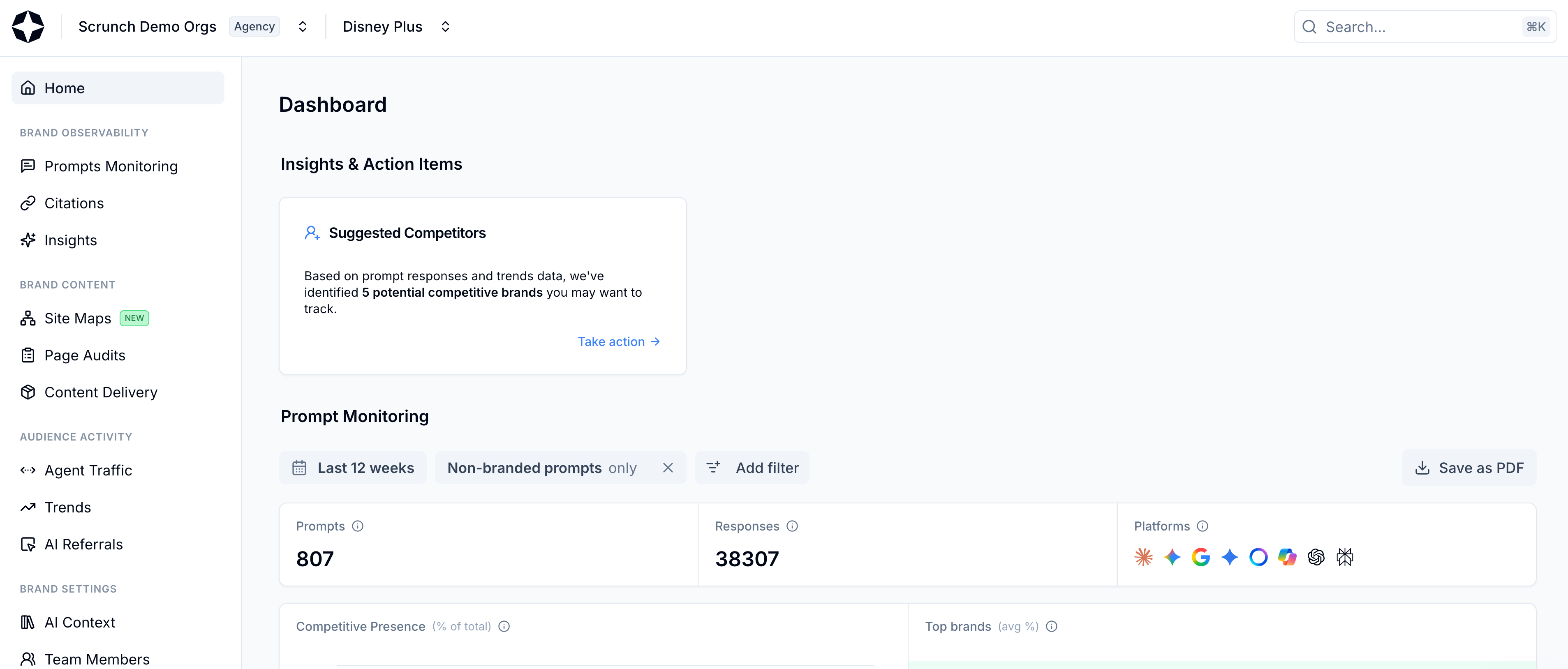
Select Home from left-hand sidebar
This page gives you a bird’s eye view of how your brand (and competitive brands) show up in AI search answers.
At the top of the page, you’ll see:
- Prompts: The number of prompts you’re monitoring in Scrunch
- Responses: The number of AI responses that have been collected
- Platforms: The AI platforms you currently have configured for monitoring

View Prompts, Responses, and Platforms
💡 Pro tip: Scrunch recommends monitoring ChatGPT and Google AI Overviews at a minimum because they have the highest reach, but you can track brand presence across all supported AI platforms from your Scrunch workspace to ensure multi-LLM coverage.
Farther down you’ll find panels for Competitive Presence and Top Brands.
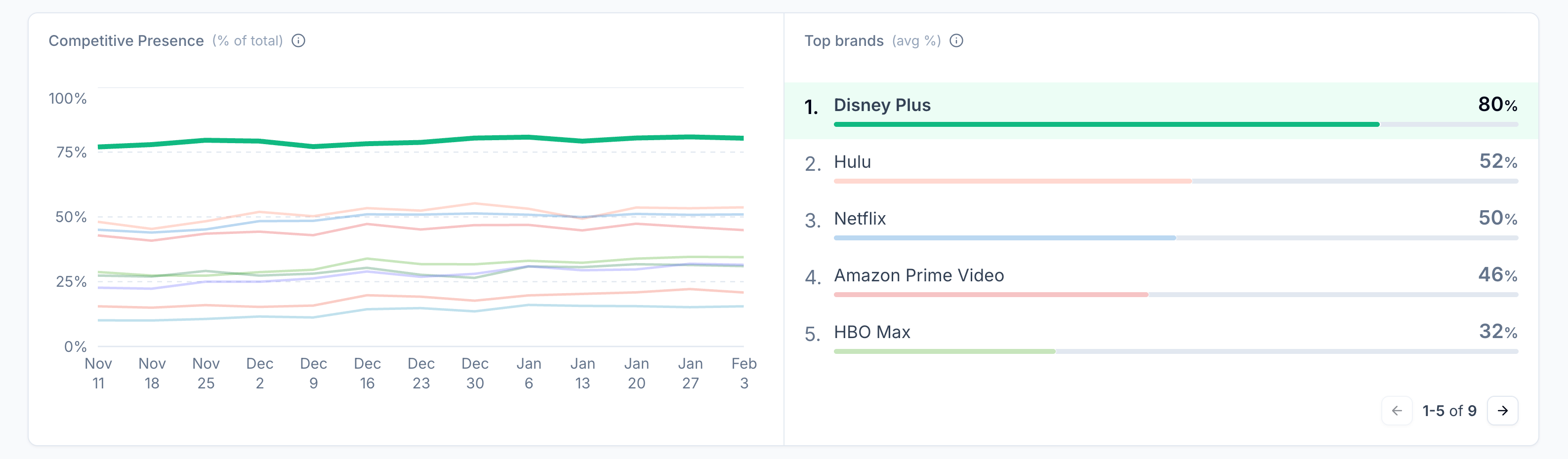
View Competitive Presence and Top Brands
The former is a side-by-side comparison of your brand's presence across all configured AI platforms versus your competitors over a selected time period. The latter is a list of the top brands across all configured AI platforms over a selected time period.
Use this data to compare your share of brand presence against competitors and identify how it rises or falls over time.
Finally there are panels for Position, Sentiment, and Citations.
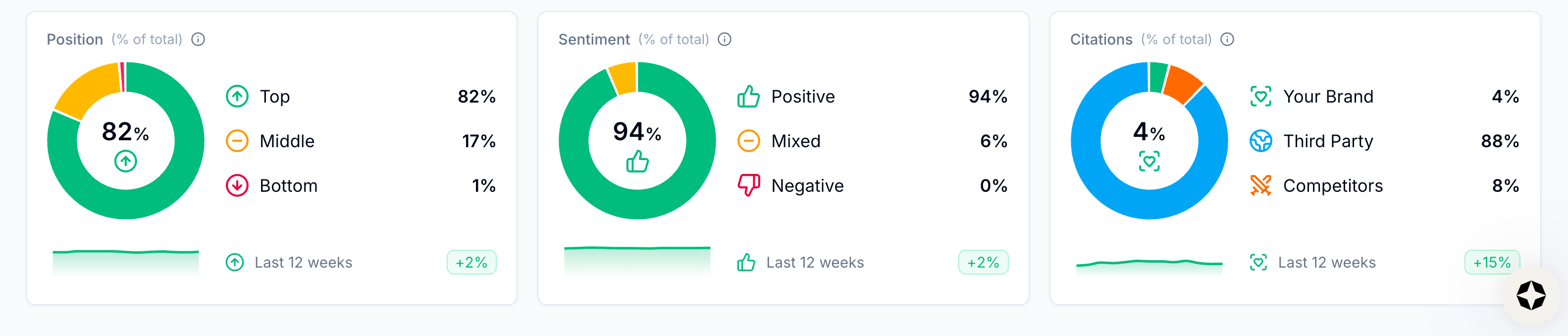
View Position, Sentiment, and Citations
Position shows you where in AI responses your brand is mentioned or cited (i.e., top, middle, or bottom). Similar to search engine results pages, the higher up you are in an AI response, the better it is for visibility and referral traffic.
Sentiment shows you the breakdown in attitude expressed toward your brand in AI responses (i.e., positive, neutral, or negative). The higher your positive percentage, the more AI platforms are saying good things about you.
And Citations shows you how often a page on your website has been linked to as a source in AI responses (as well as how often third-party and competitor sites are linked to). The more citations you have, the more it indicates that AI platforms view your brand as authoritative on a topic (and the more visibility you’ll get).
You can see if your brand’s visibility in AI search is increasing or decreasing over time by using the date selector at the top of the page (it’s set to the last 12 weeks by default).
Click the “Last 12 weeks” button to view your options or set a custom date range.
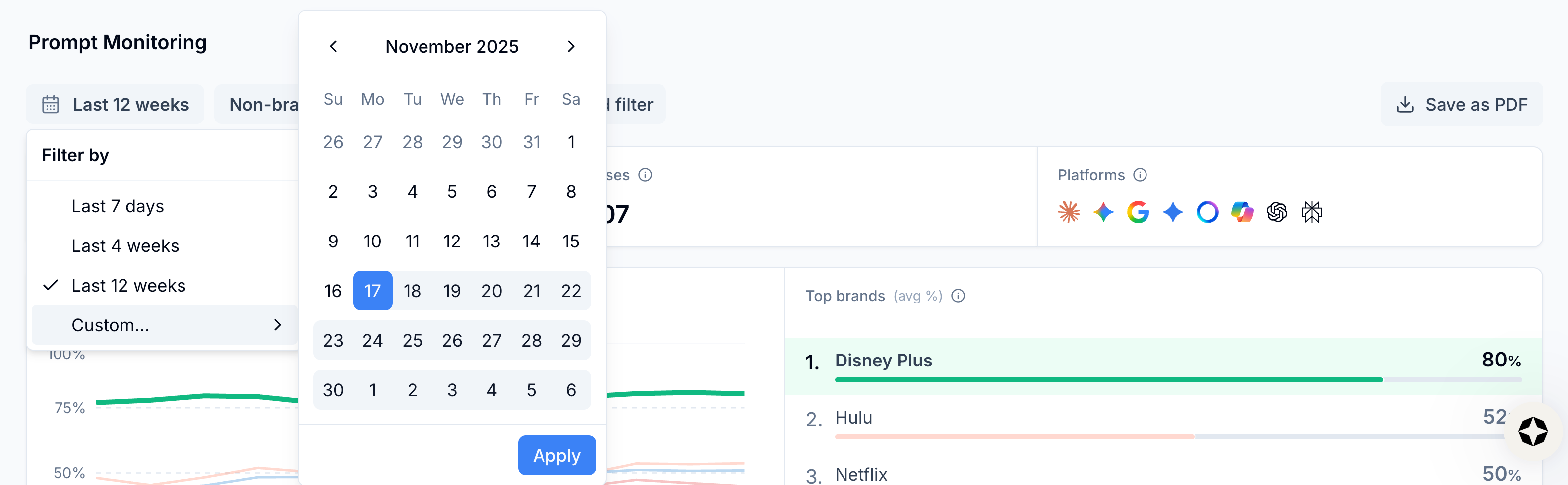
View date options
All information in the Home tab can be sliced and diced based on filters, like persona, prompt topic, AI platform, funnel stage, branded versus non-branded prompts, whether your brand or a competitor’s brand is present, country, and more.
💡 Pro tip: Create customer personas in Scrunch’s AI Context tab. This will tell Scrunch how your target customers actually ask questions and make it easier to produce and segment prompts that reflect real language and geography.
Click the “Add filter” button at the top of the page to view your filter options.
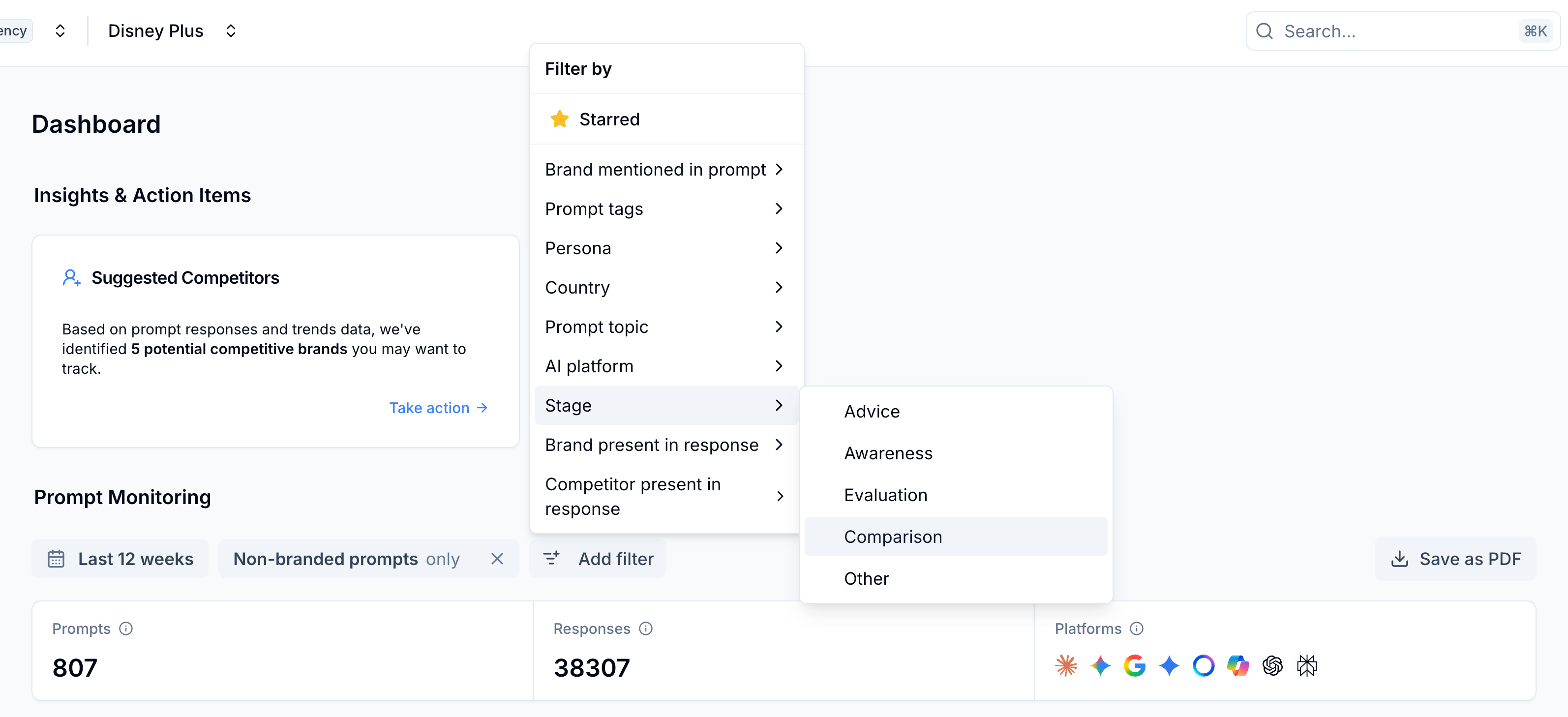
View filter options
💡 Pro tip: Scrunch recommends focusing analysis on specific topics or product areas where you want to increase share of voice versus competitors or third parties.
Keep in mind that you can also create custom tags to filter by.
⏱️ Time saver: Custom tags are helpful for organizing prompts around specific campaigns, product lines, clients, or anything else that’s unique to your workflow.
Once you’ve got a general overview of brand presence in AI search, it’s time to go a level deeper.
Step 2: Track topic- and prompt-level brand presence in AI search in the Prompts Monitoring tab
Navigate to the Prompts Monitoring tab.
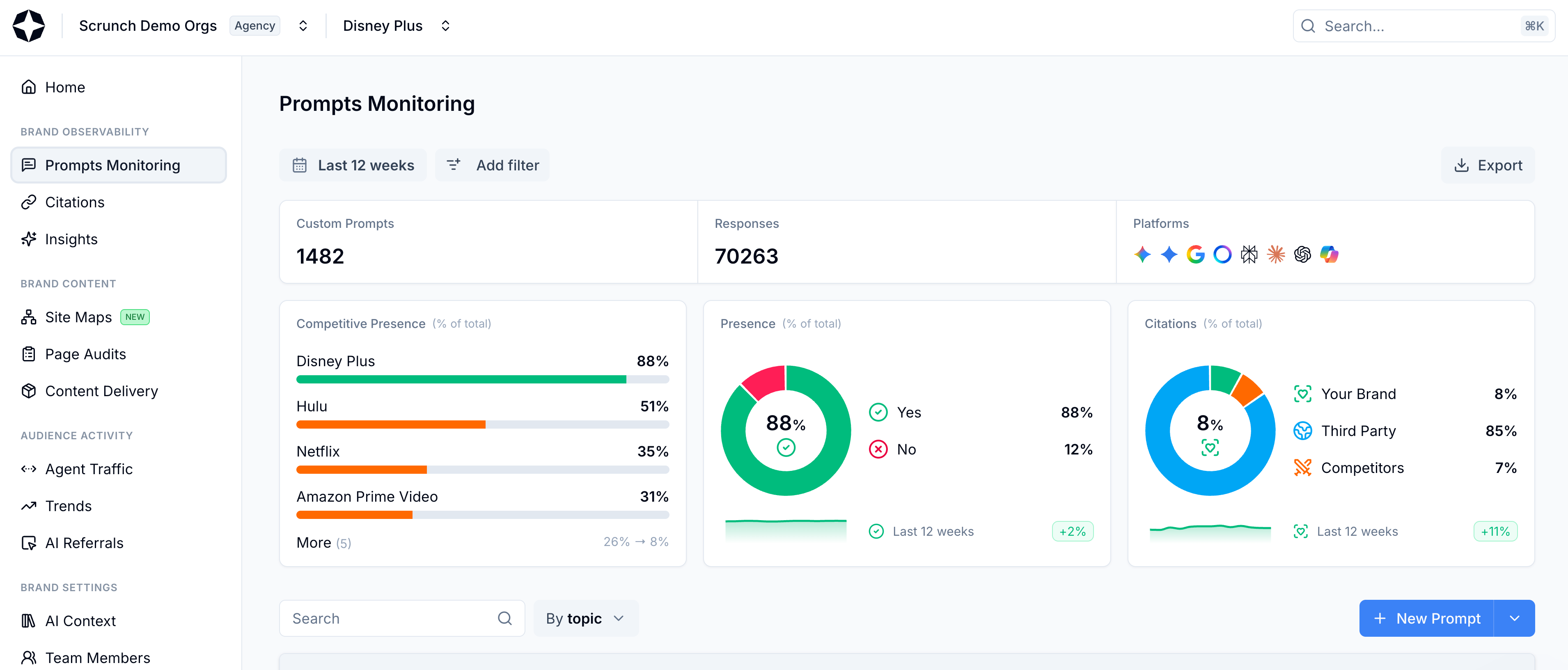
Select Prompts Monitoring from left-hand sidebar
This is where you can get more granular with the prompts you’re tracking to understand which topics and prompts you’re getting visibility for in AI answers.
Scroll down the page and you’ll see a table of your Key Topics.
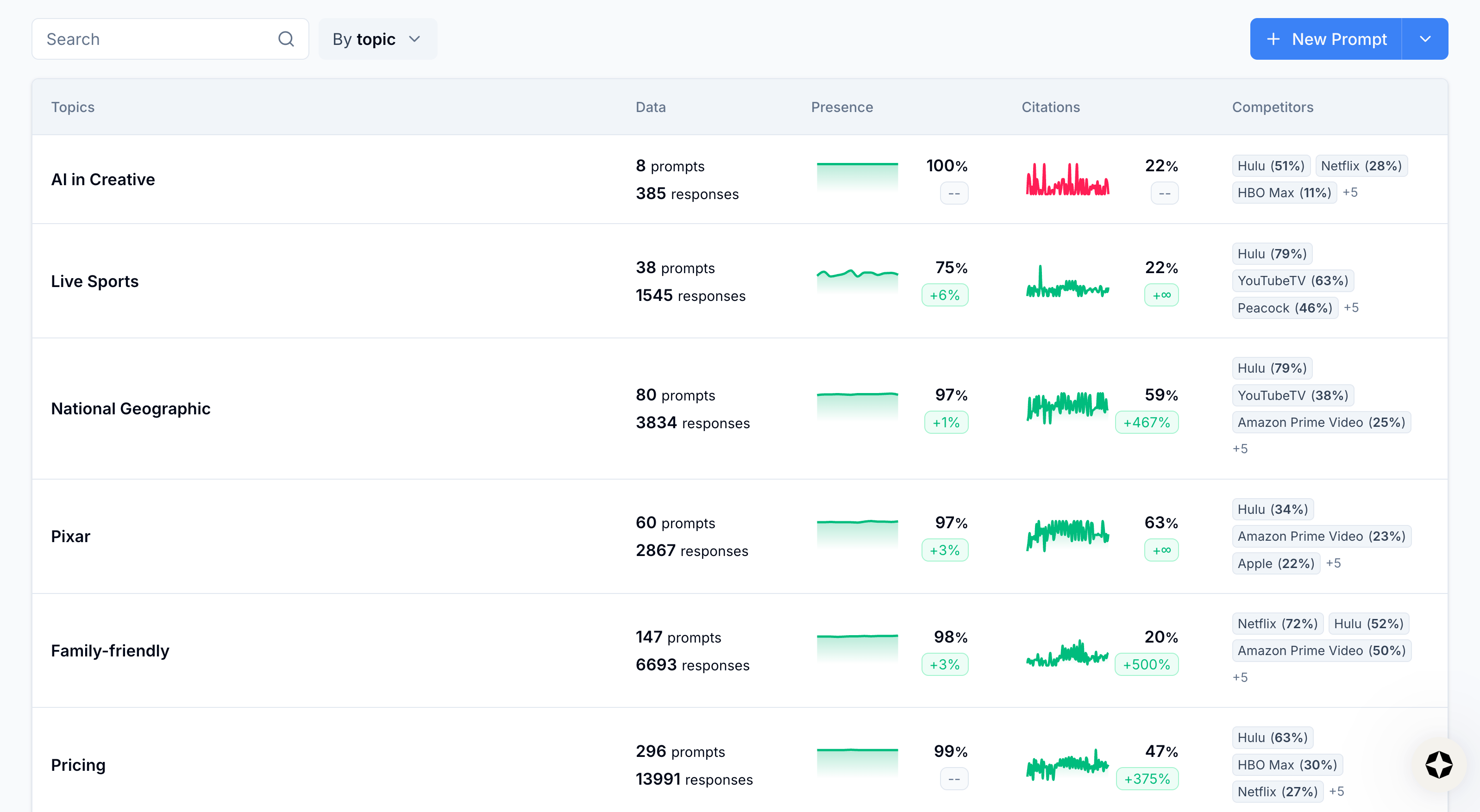
View Key Topics
📖 Scrunch definition: Key Topics
Key Topics are defined in the AI Context tab and represent major themes your brand wants to monitor (e.g., “cloud security,” “home insurance,” “retirement planning,” etc.). Once you've set your Key Topics, Scrunch will automatically group related prompts under each one. A single prompt can belong to multiple Key Topics depending on the intent and content. You can always assign or reassign prompts to Key Topics manually.
You can filter your view by topic, tag, funnel stage, seed prompt, or prompt variant.
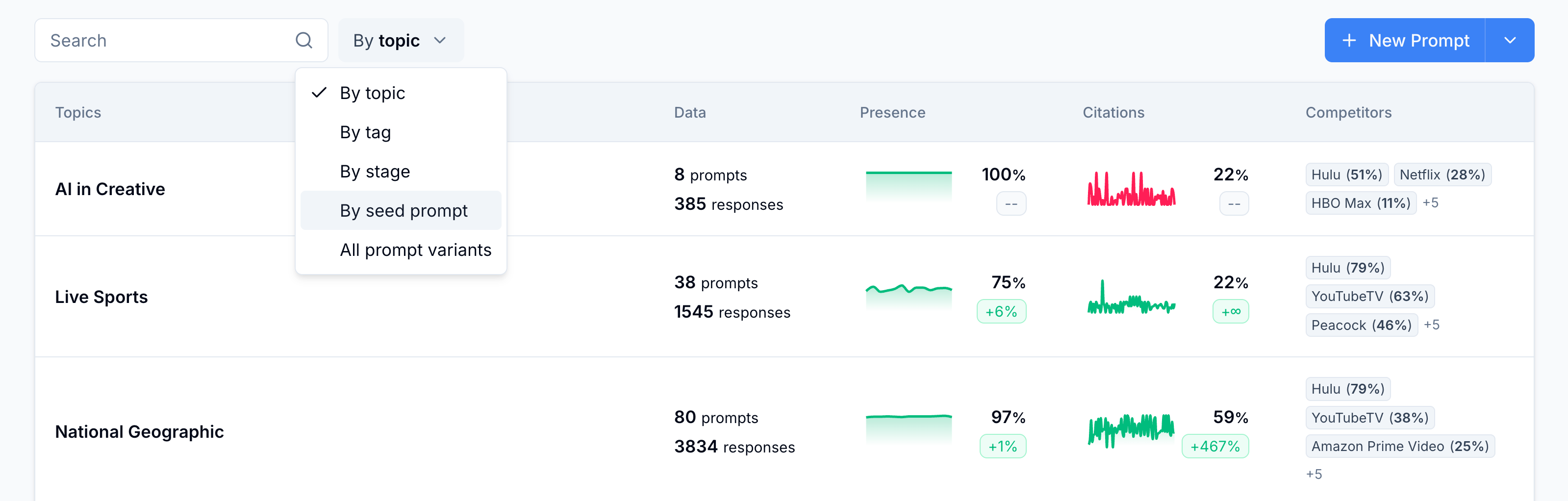
View filter options
What matters is your ability to dig into a collection of business-relevant topics or prompts to analyze how your brand presence is growing or shrinking over time.
Each view will give you high-level data on performance, including overall brand presence and citation performance over a selected time period.
When you click into a table row and drill down to the seed prompt level, you can see how many prompt variants (i.e., the AI-platform-specific version of a seed prompt) you’re tracking, the number of responses for that prompt, your brand presence in responses, brand citations, and competitor presence.
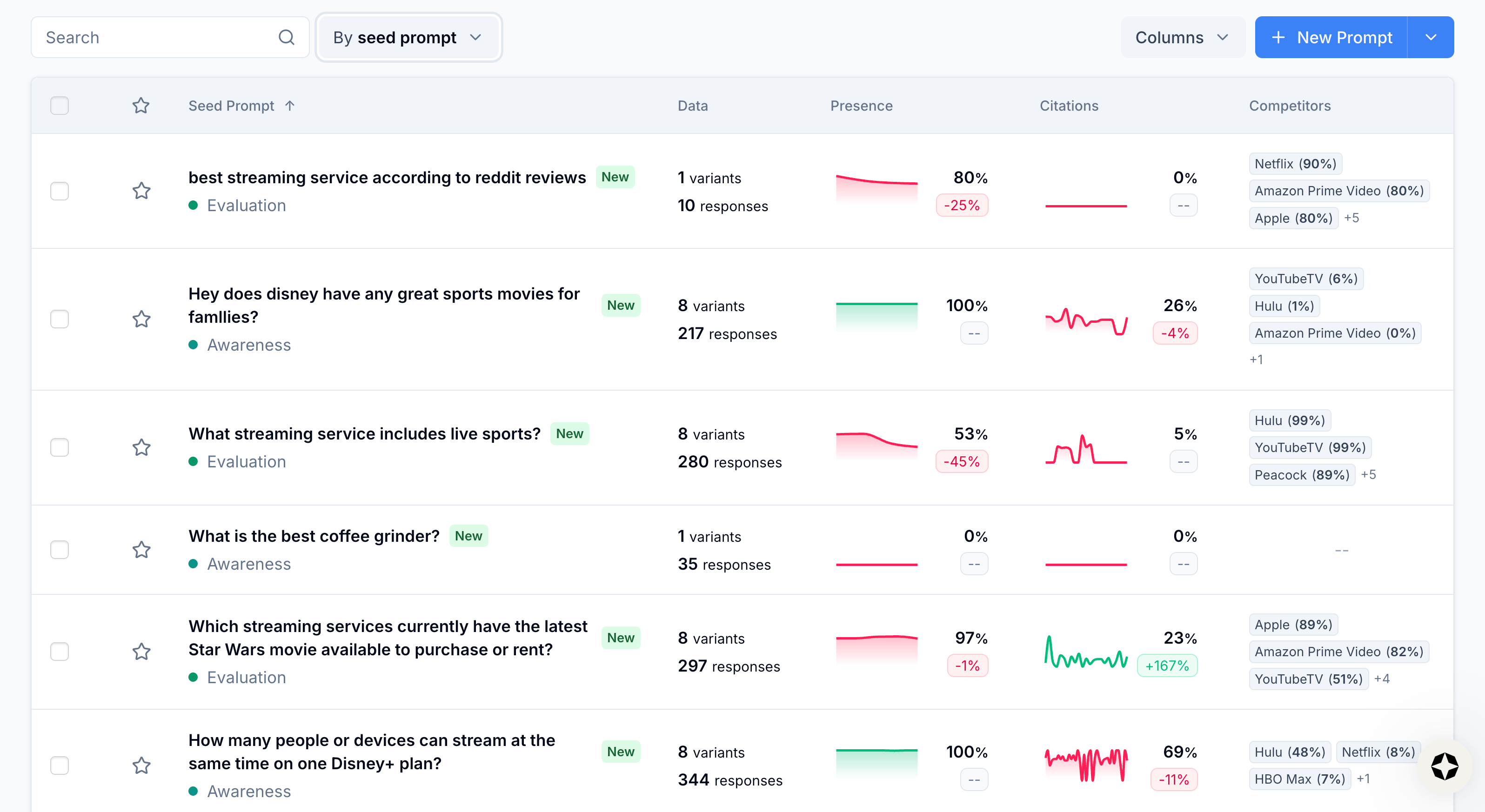
View seed prompts
Select a seed prompt.
This will take you to a prompt-level breakdown of competitive presence, brand presence, and citations.
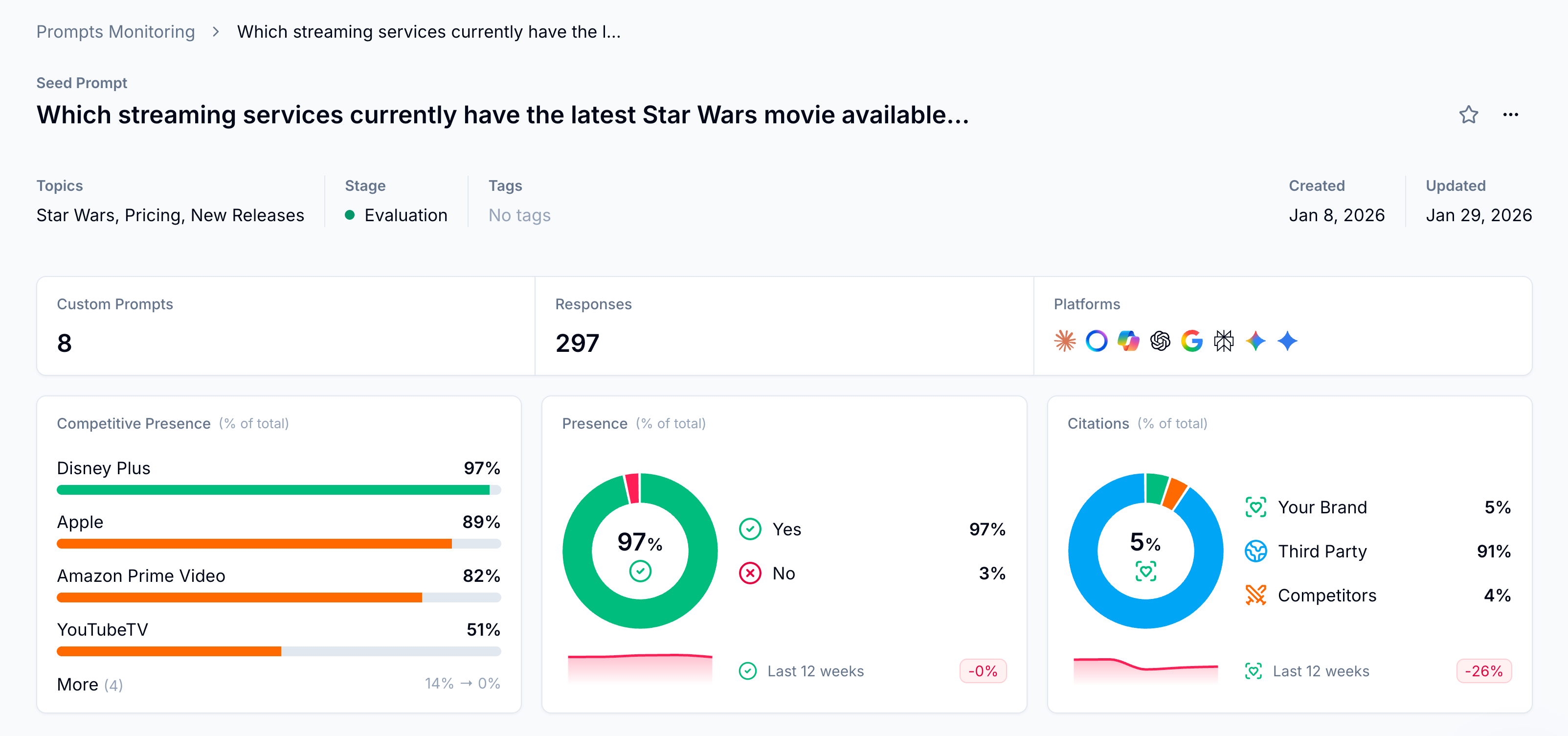
View Competitive Presence, Brand Presence, and Citations
From here you can click into any prompt variant based on the AI platforms you’re tracking in Scrunch.
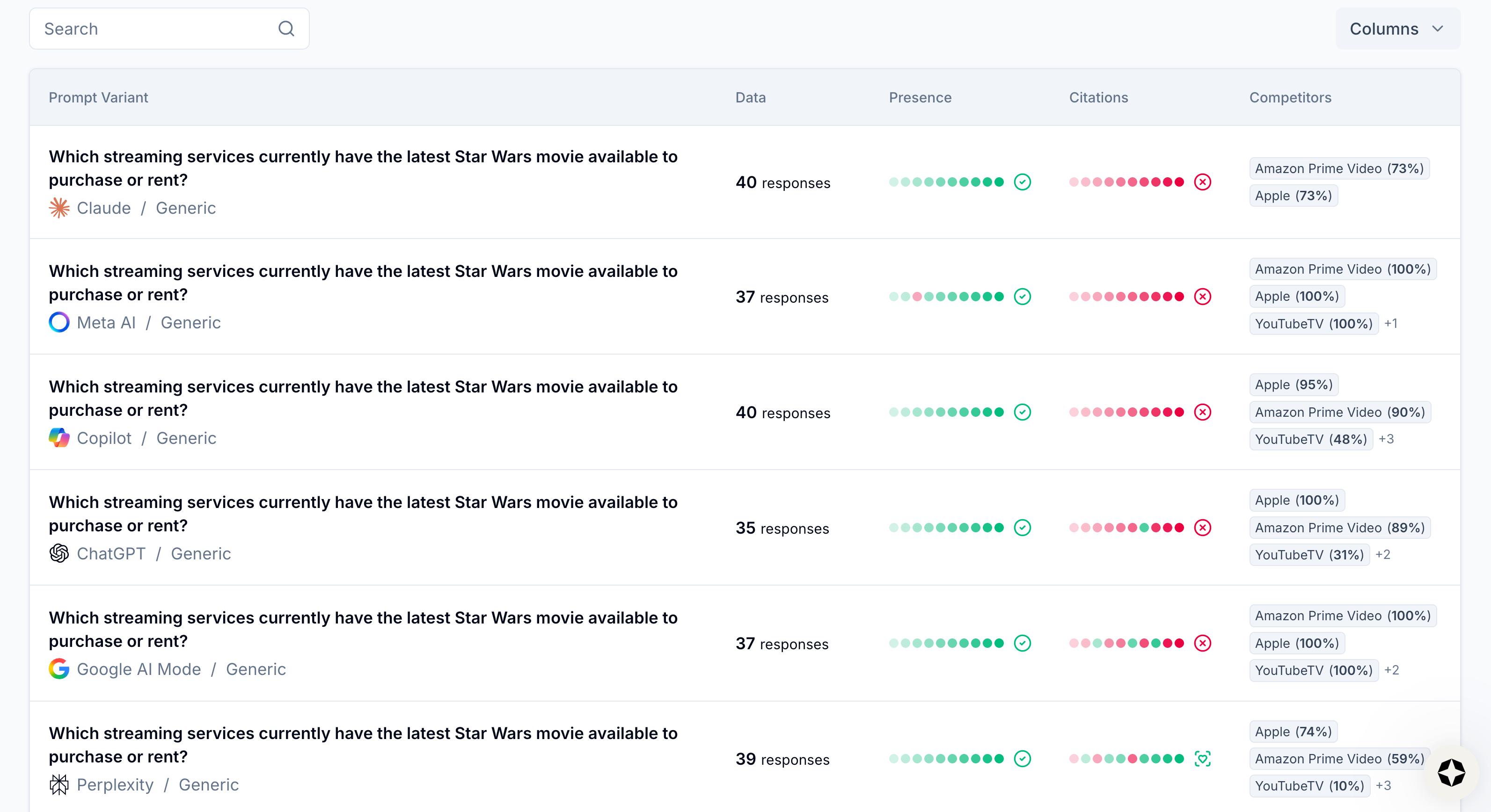
View prompt variants
Select a prompt variant.
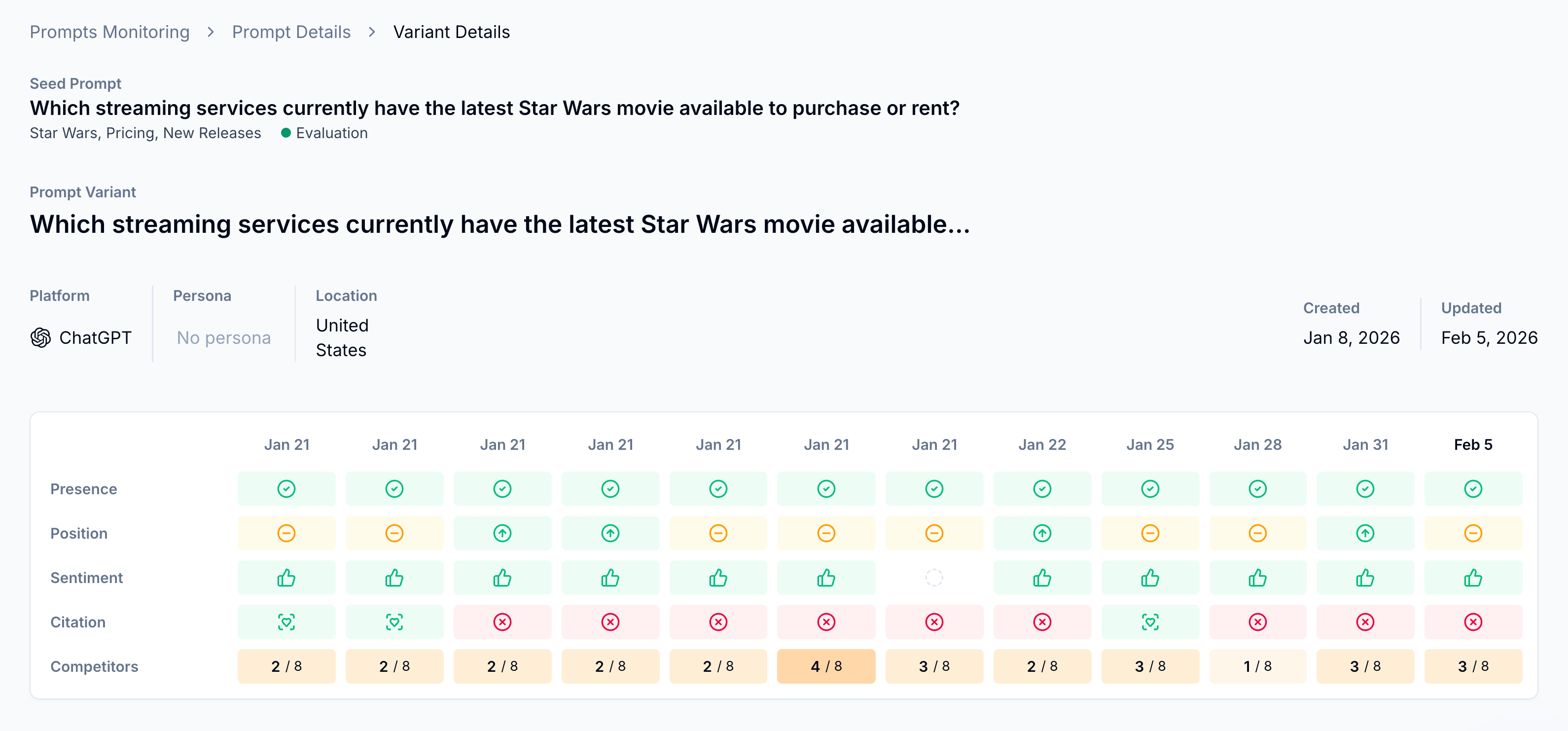
View prompt variant analysis
You’ll get a high-level overview of brand presence, position, sentiment, citations, and competitive presence for the prompt in question, as well as a full read-out of the LLM response for that platform.
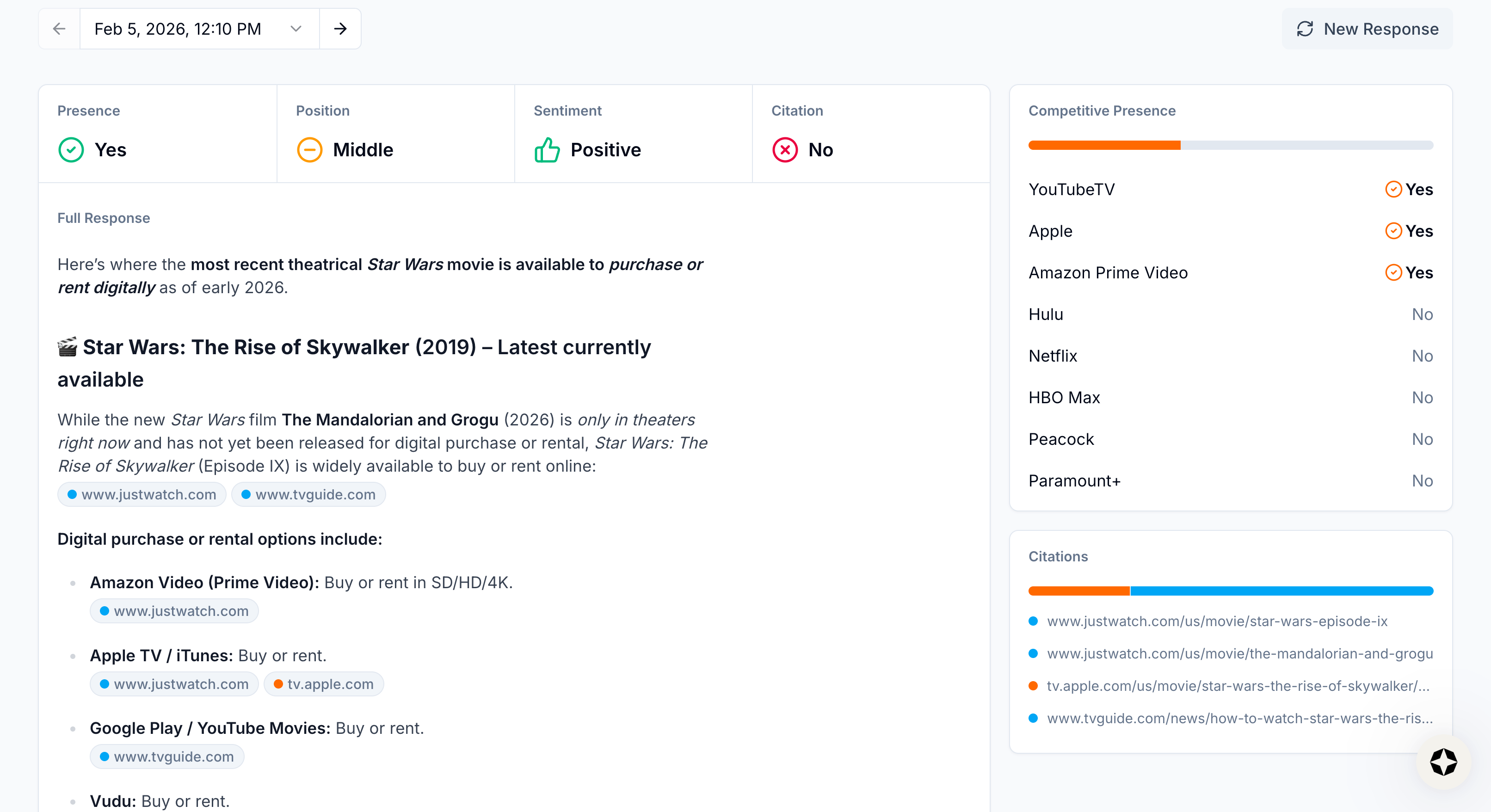
View AI response
You can look to the right of the AI response to see which of your tracked competitors were included, as well as exactly which sources were cited.
💡 Pro tip: Scrunch recommends regularly monitoring actual AI responses to ensure AI platforms are interpreting your brand, products, and services correctly.
This gives you all the information you need to monitor brand presence in LLMs and measure it over time.
What’s next
Start improving your brand presence:
- Run a site audit: Fix access, delivery, or content issues hurting your visibility.
- Focus on citations first: They're the biggest driver of AI search visibility.
- Track AI bot traffic: See how AI platforms crawl your site.
- Monitor referral traffic: Connect AI presence to human traffic and conversions.
Remember that while brand presence is a core metric to track for AI search, it doesn’t necessarily tell you what’s influencing LLM visibility or how that visibility translates to business results.
Scrunch recommends also tracking citations, agent traffic, and referral traffic to get a complete view of how your brand is performing in AI search, why, and the outcomes it’s driving.
Not a Scrunch customer yet? Start your 7-day free trial or request a demo to see Scrunch in action.