Agent Experience
Monitoring & Insights



How to audit your website for AI search
🚧 Scrunch recently shipped major product updates, so some parts of this guide may not match what you see in our platform today. We'll be updating the guide to match, but if you have questions in the meantime, please:
- Ask our in-app AI assistant, Scrunchie.
- Check out our Help Center.
- Reach out to your CSM.
Quick answer
Audit your website for AI search from Scrunch's Site Maps tab.
Site auditing surfaces the technical and content issues keeping your pages out of AI responses. Here's how to find and fix them:
Start in the Site Maps tab to launch an audit:
- Domain Insights: Audit any page already in your site map.
- Page Audits & History: Audit any page (mapped or not) and review past audits.
- Mapped pages table: Browse, search, and click into any page on your site.
Drill down in the Page Details page to run a Deep AI Audit across four areas:
- Access controls: Whether AI bots are allowed to reach the page
- Content delivery: Whether the page loads with the speed and technical hygiene AI agents require
- Content quality: Whether the content is complete and formatted for AI consumption
- Content alignment: Whether the content matches your target prompts
Take action on results: Each area returns its own score plus a checklist of passed and failed checks so you know exactly what to fix first.
Bottom line: AI can't recommend what it can't access, read, or understand—site auditing is how you make sure your pages are actually shaping AI answers.
Start here
Why you should audit your website for AI search
Site auditing—aka analyzing website performance to identify issues and improvement opportunities—is the difference between being the answer in AI responses and not showing up at all. Creating and optimizing content doesn’t count for anything if AI bots can’t access it, consume it, and recommend it. To optimize AI search performance, you need to understand what’s working, what’s broken, and what you need to do to fix it.
Here’s how to do it using Scrunch.
Before you begin:
- Log in to Scrunch or sign up for a free 7-day trial to follow along.
- Add your brand and website to the AI Context tab in Scrunch, including any alternate domains or subdomains you want to track.
- Customize your brand context in Scrunch (alternative brand names, key competitors, customer personas, key topics, etc.).
- Add prompts to track in the Prompts Monitoring tab in Scrunch (or let Scrunch’s AI generate prompts for you based on your brand or convert a list of SEO keywords into prompts).
- Make sure your website isn’t blocking Scrunch’s user agent via your CDN or security settings.
Step 1: Run a webpage audit in the Site Maps tab
Log in to Scrunch and navigate to the Site Maps tab.
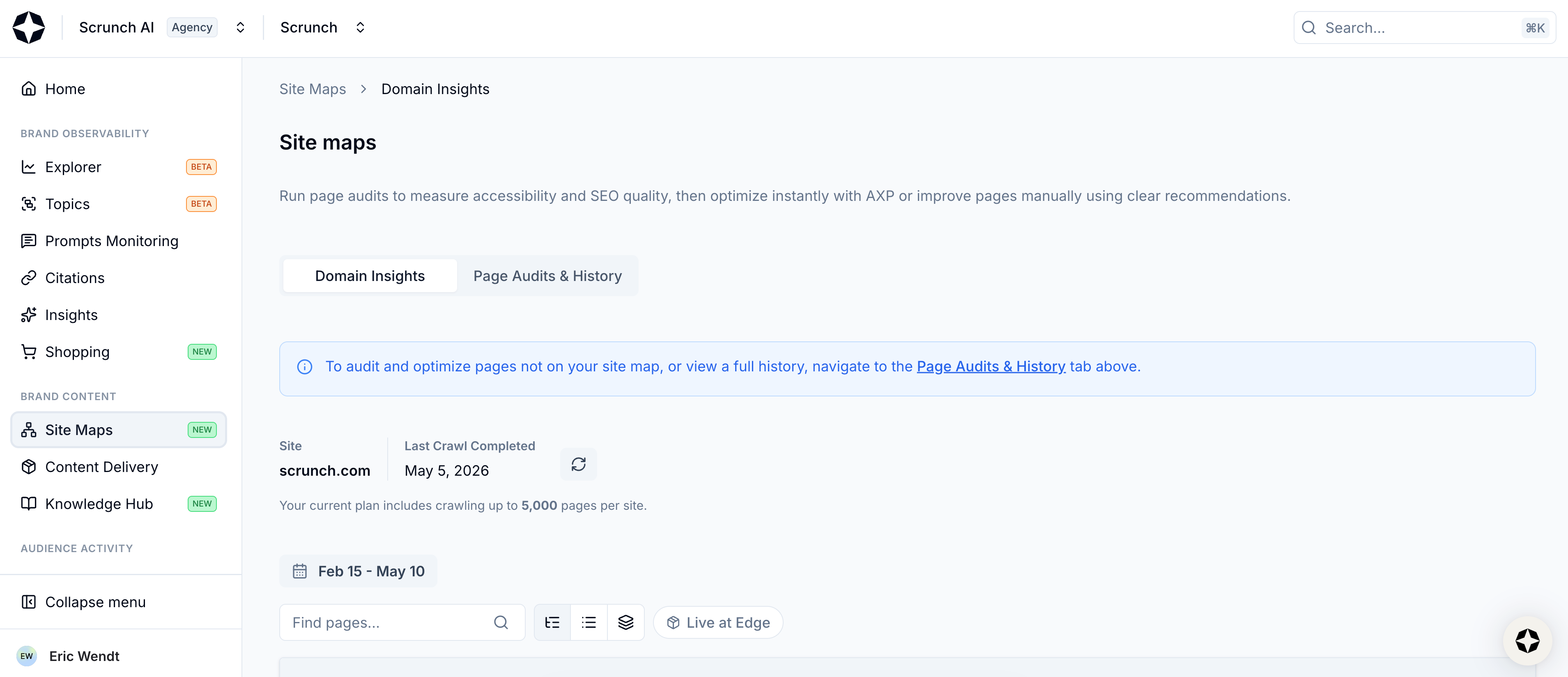
Select Site Maps from left-hand sidebar
This page is your command center for evaluating and optimizing website performance in AI search.
At the top of the page you’ll see options for Domain Insights and Page Audits & History. You can run site audits using either path.

View Domain Insights and Page Audits & History
We’ll focus on Domain Insights in this guide, but keep in mind that you can audit any page not in your site map using the Page Audits & History workflow, as well as review all audited pages.
All you have to do is enter the URL of the page you want audited. If the URL is already active in your site map, you’ll be redirected to that page's Deep AI Audit tab.
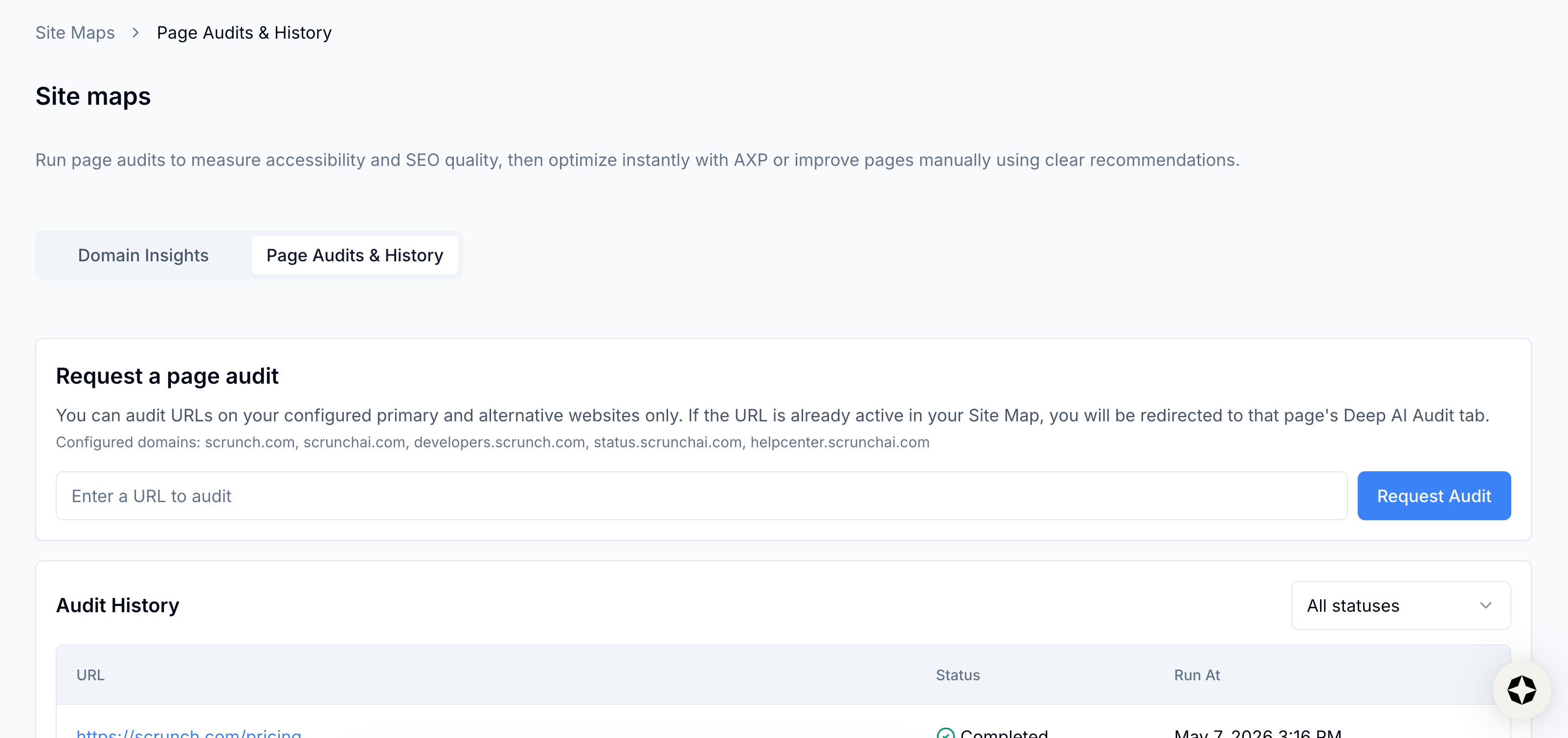
View Page Audits & History page
Scroll down the Domain Insights page and you’ll find a table featuring every mapped page on your website (check out this guide for a deep dive on Site Maps).
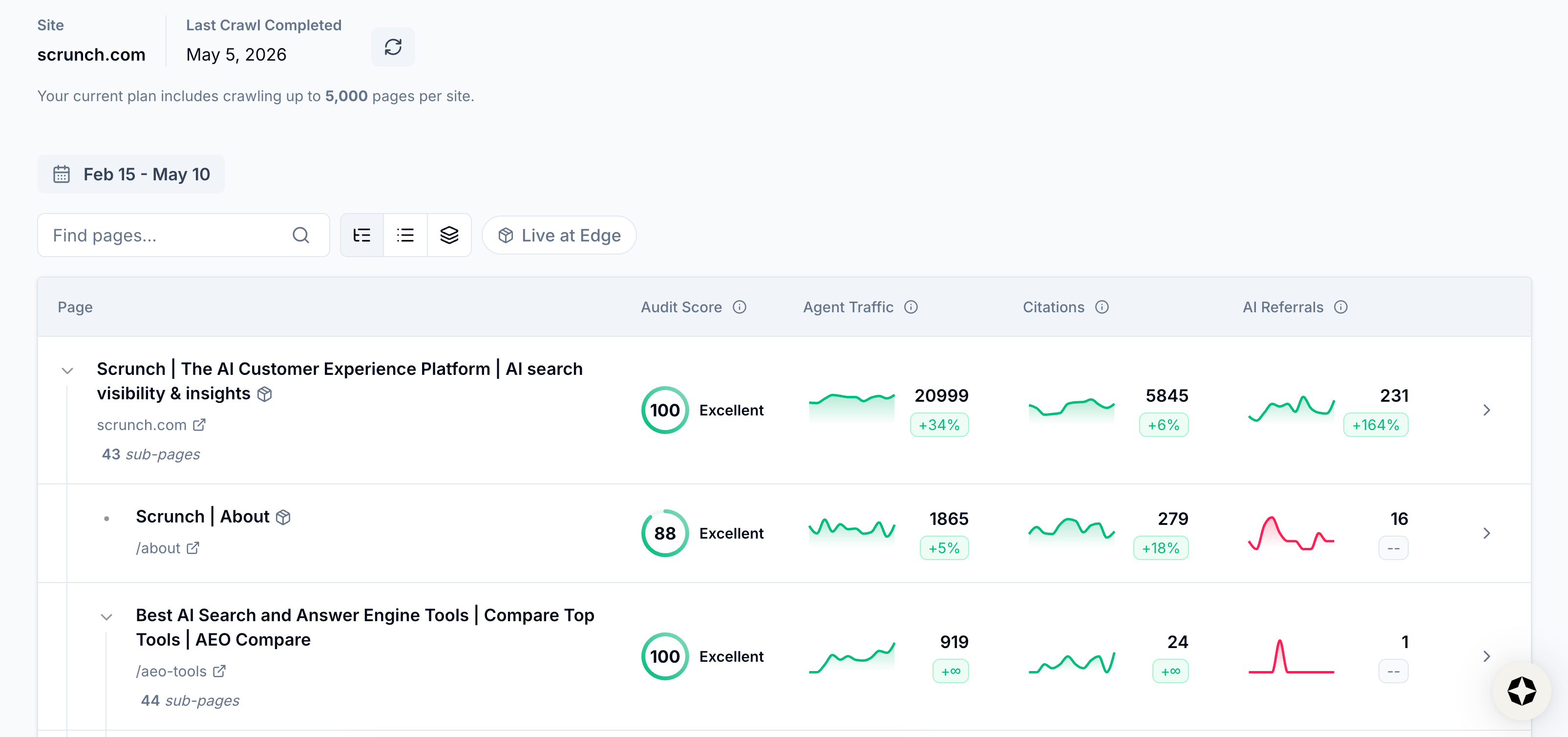
View mapped pages
Find the page you want to audit in the table or use the search bar above the table to locate it.
Click into a page to open its Page Details page.
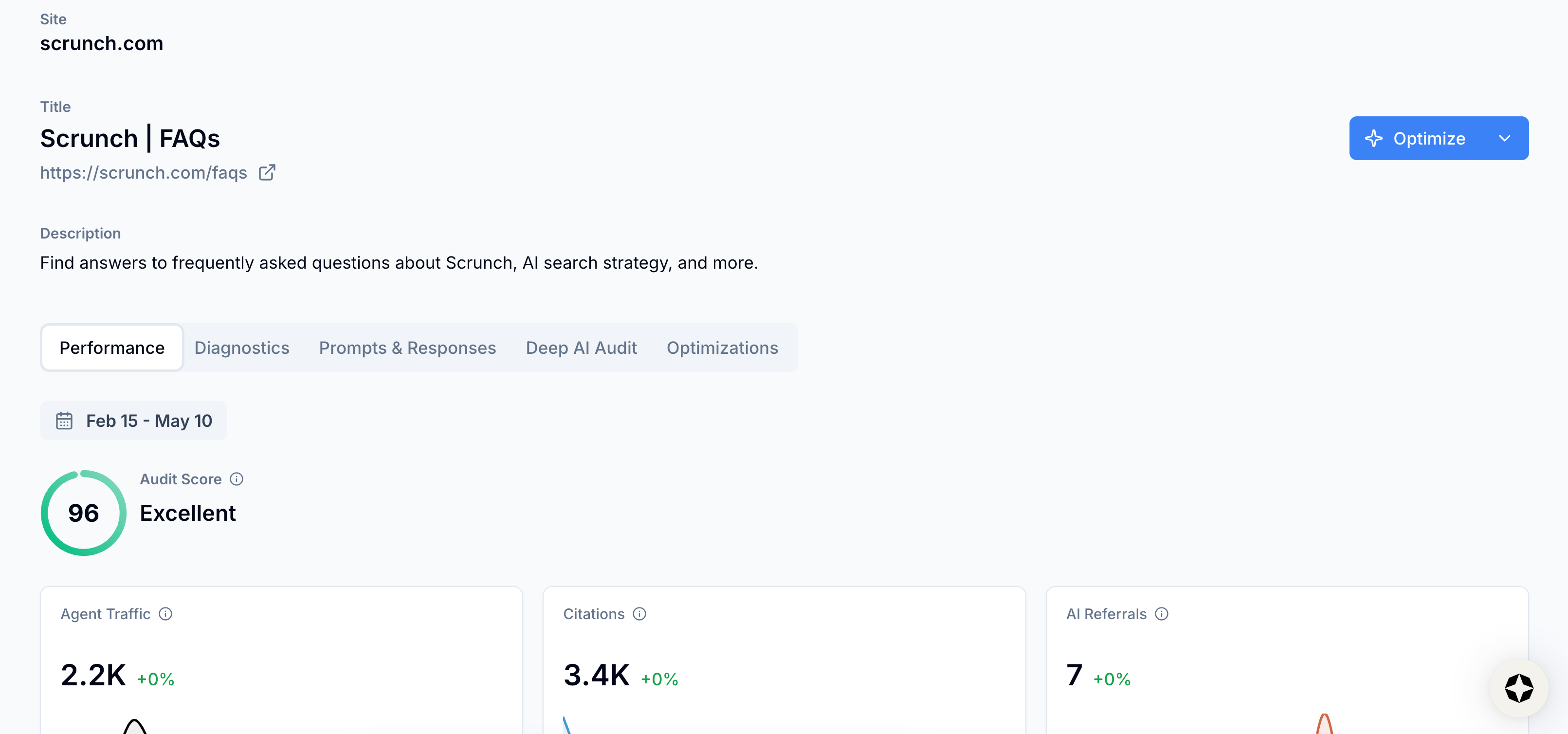
View Page Details page
Navigate to the Deep AI Audit section and click the “Initiate Deep Audit” button.
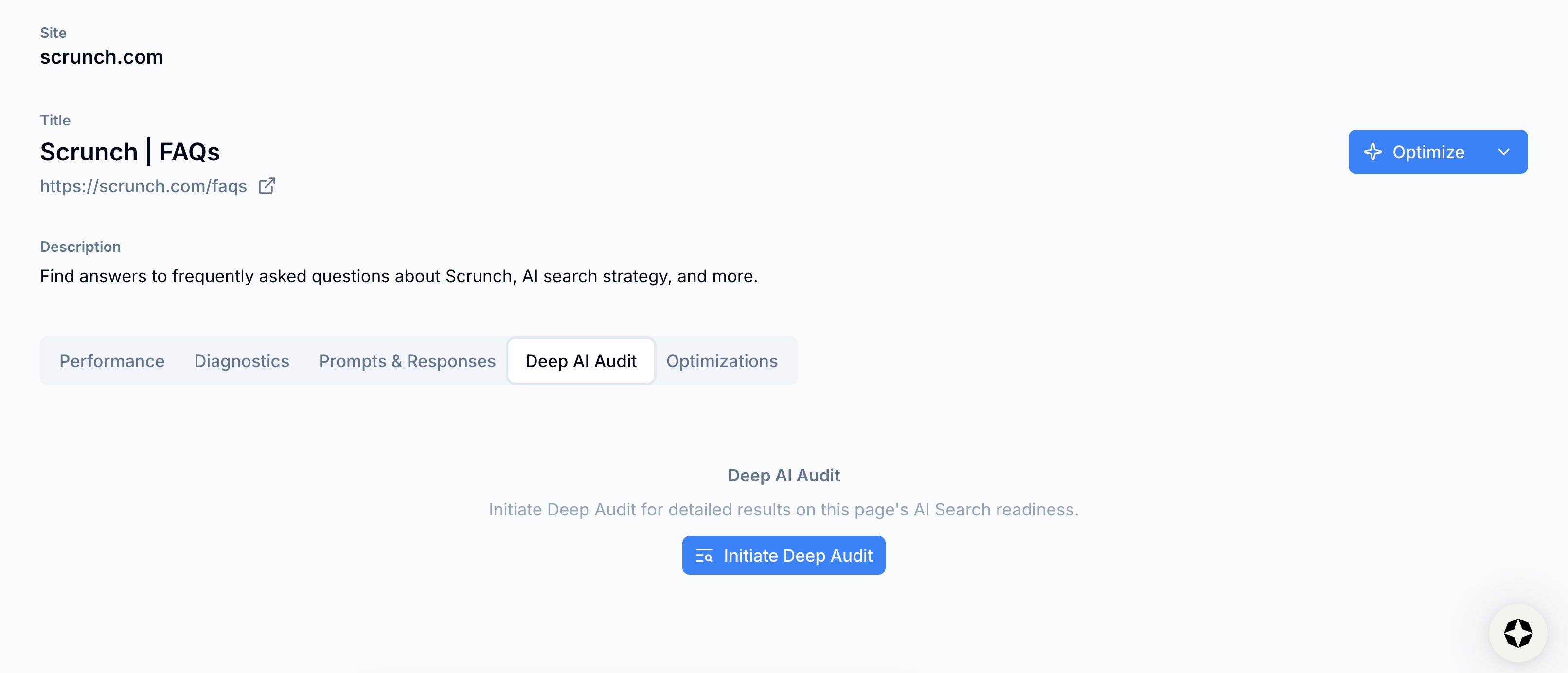
Select Initiate Deep Audit button
Scrunch will run an in-depth audit of the page to understand exactly what's working and what’s not—as well as provide you with specific, actionable insights about AI accessibility, technical problems, and content issues.
After you trigger a Deep AI Audit, you’ll see your results at the top of the page.
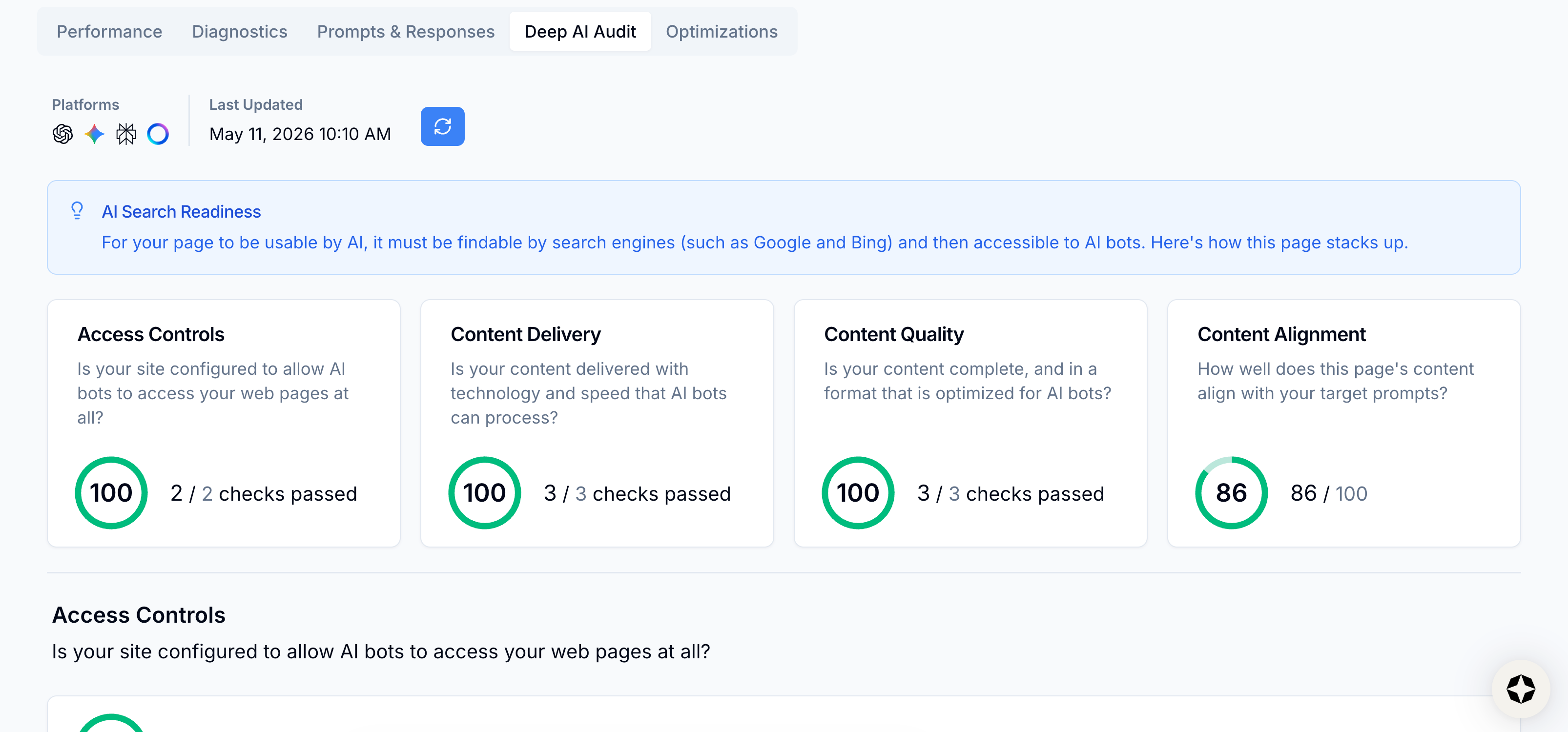
View results
Results are broken down into four buckets, each with its own score:
- Access Controls: Whether your website is configured to allow AI bots to access the page
- Content Delivery: Whether your content is delivered with the necessary technical hygiene and speed
- Content Quality: Whether your content is complete and in a format optimized for AI bots
- Content Alignment: Whether your content aligns with your target prompts
💡 Pro tip: Unless the content on your site is monetized, Scrunch recommends giving AI bots access to your site. The more that LLMs know about your brand, products, and services, the likelier it is that they’ll represent them accurately in AI responses.
Scroll down the page to dive deeper into each section.
💡 Pro tip: AI needs clear, relevant, and accessible content—not clickbait. Think of your site not just as something to attract human visitors, but also as a source of answers for AI agents. Site auditing helps you make sure you’re speaking both languages.
Scrunch includes a checklist of questions in each section to help you identify and fix any issues, like:
- Does your site have a robots.txt file? A missing robots.txt file can create ambiguity about how bots should interact with your site.
- Does your page load in under 5 seconds? AI bots tend to deprioritize or skip slow-loading pages. Aim for quick, lightweight delivery.
- Are the page title and description relevant to page content? Clear and descriptive metadata helps AI understand what your page is about, which improves its chances of being selected and referenced in responses.
We’ll show you how many checks you passed and how many need attention.
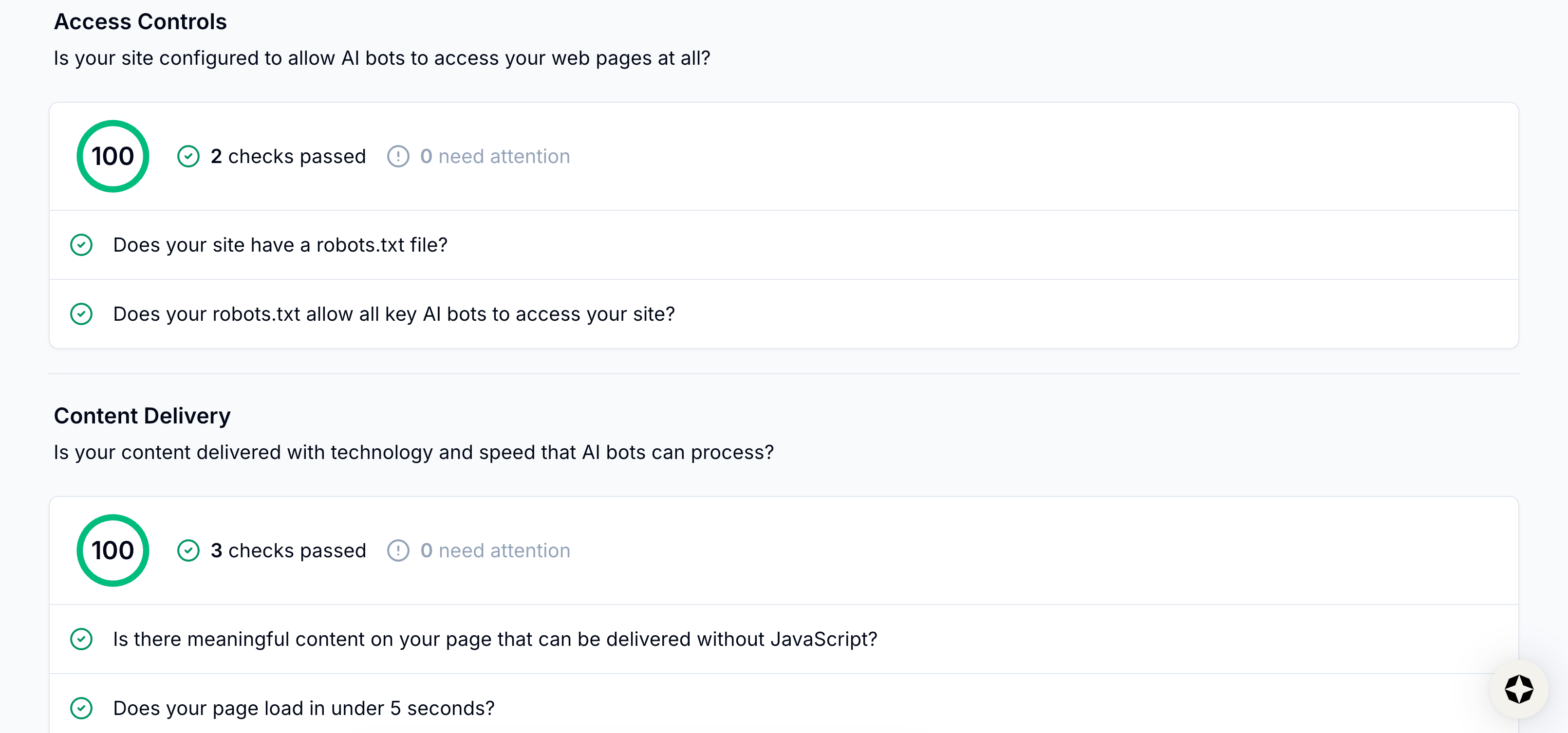
View section checks
Meanwhile, Scrunch’s content alignment score tells you how well your page content matches the tracked prompts where AI may cite your site. A higher score means better content-prompt alignment.
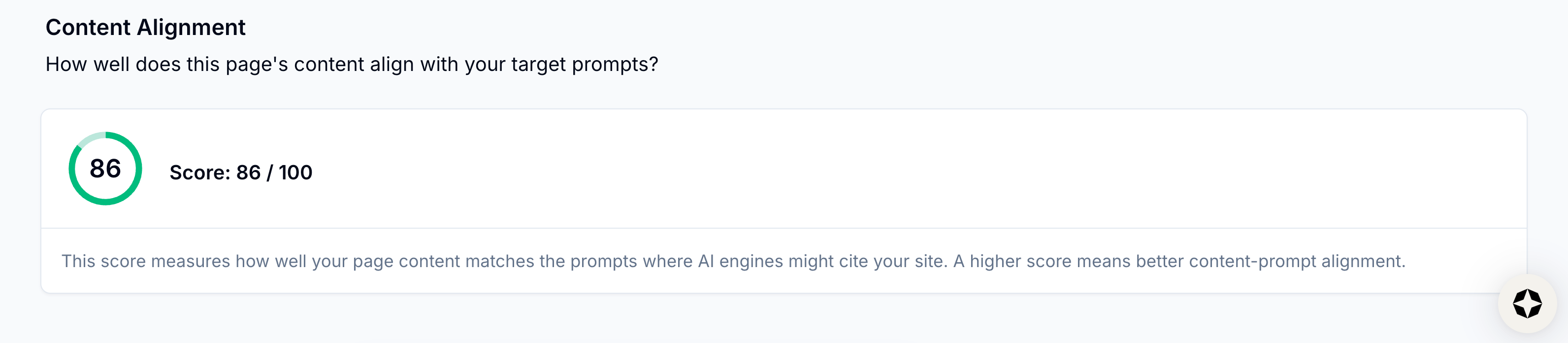
View content alignment score
Deep AI Audits are a one-time check of your page at the moment it’s run. If you make updates to your site’s content, metadata, access controls, speed, etc., be sure to rerun the audit in Scrunch to see how those changes impact your results.
This ensures you’re always working from the most current data.
Simply click the “Trigger a new deep AI audit” button at the top of the page to initiate a new audit.
Once a page is audited, it can then be optimized via Scrunch’s Optimizer feature.
We cover content optimization in a separate guide here, but at a high level, you can run the page through Scrunch’s Optimizer feature to create an AI-optimized version of page content and deliver it directly to AI agents via Scrunch’s Agent Experience Platform (AXP).
If you’re not using AXP, Scrunch will generate actionable content suggestions to improve your existing webpages. Each suggestion includes the issue and the recommended fix so you can improve your canonical, human-facing pages to make them clearer for both humans and AI.
What’s next
Start fixing website issues:
- Prioritize technical updates: Make sure AI bots can access and read website content before focusing on content updates or creation.
- Optimize frequently crawled webpages: Focus on making technical and content updates to the pages most commonly crawled by AI bots.
- Update or create content: Review competitive sources and update or create content to exceed content quality.
- Serve AI-optimized content directly to LLMs: Deliver clean, structured, LLM-optimized page content to AI bots minus any superfluous code or other issues that may hinder AI consumption.
Site auditing gives you a clear path to fix what's blocking AI from accessing, reading, and recommending your content. But a clean audit doesn't automatically translate to AI search visibility—you need to know whether those fixes are actually moving the needle in AI responses.
Scrunch recommends also tracking brand presence, citations, AI agent traffic, and AI referral traffic to see whether your technical and content improvements are driving real gains in AI search performance and business results.
Not a Scrunch customer yet? Start your 7-day free trial or request a demo to see Scrunch in action.